Minecraft, but faster.
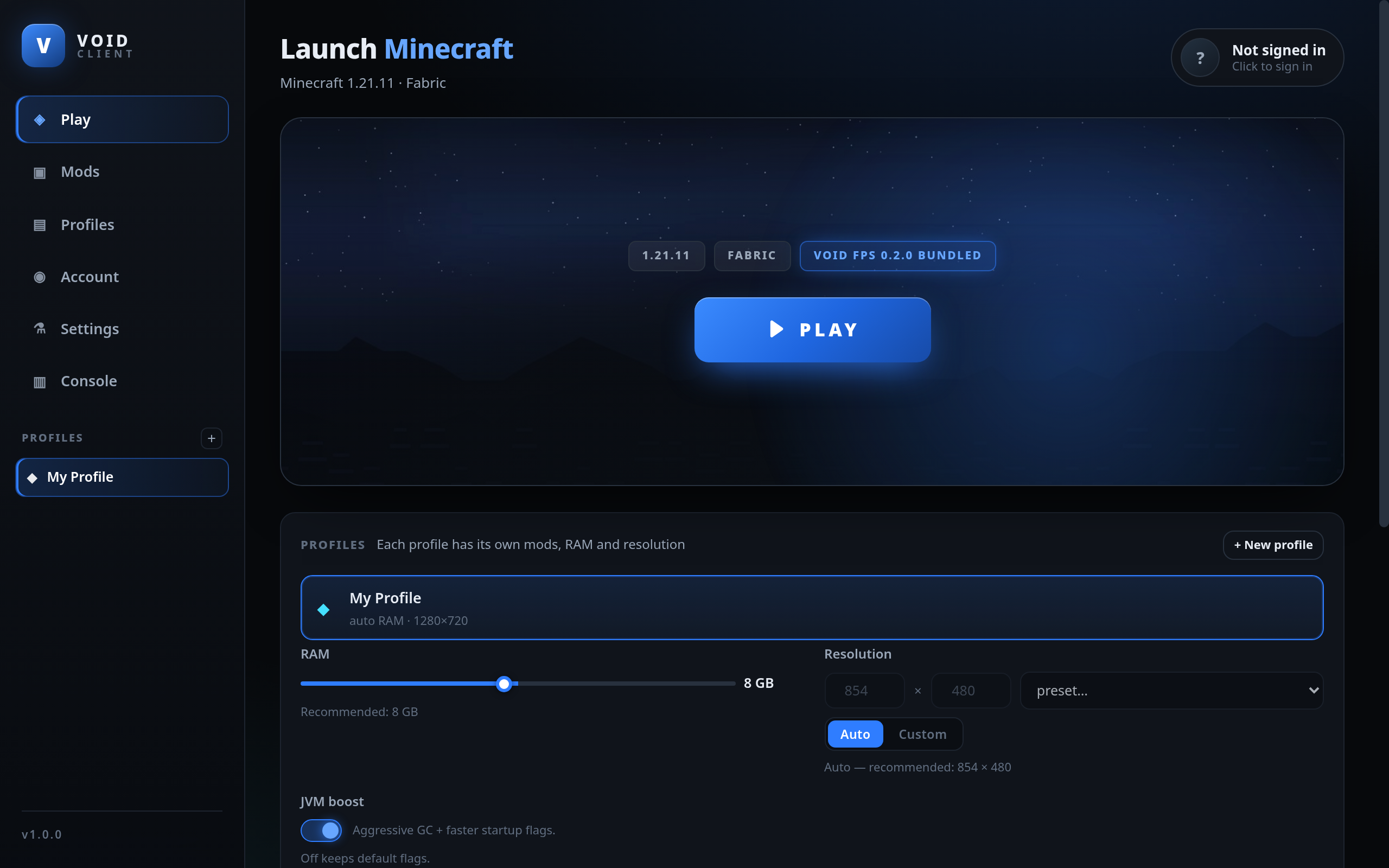
VOID Client runs every Minecraft 1.21.x version. Fabric is already installed, VOID FPS is already inside it, and mods install straight from the launcher — no digging through folders.
Why VOID
Made so you can play, not configure
Most launchers make you install Java, pick a loader, and hunt for mod files before you ever see the title screen. This one does all of that for you.
Light on your PC
Built without a heavy framework, so it opens fast and sits quietly in RAM while you play.
Mods from inside
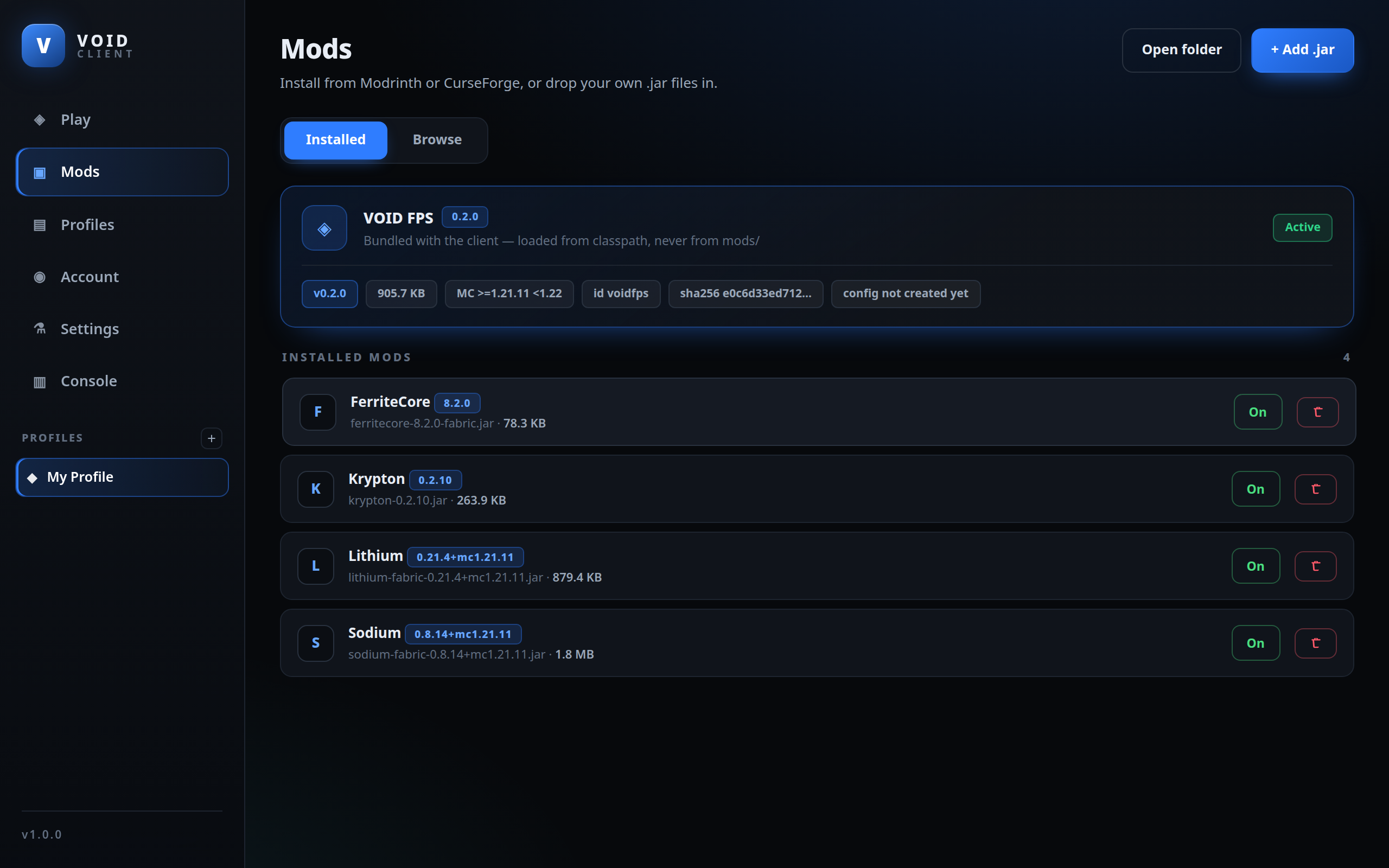
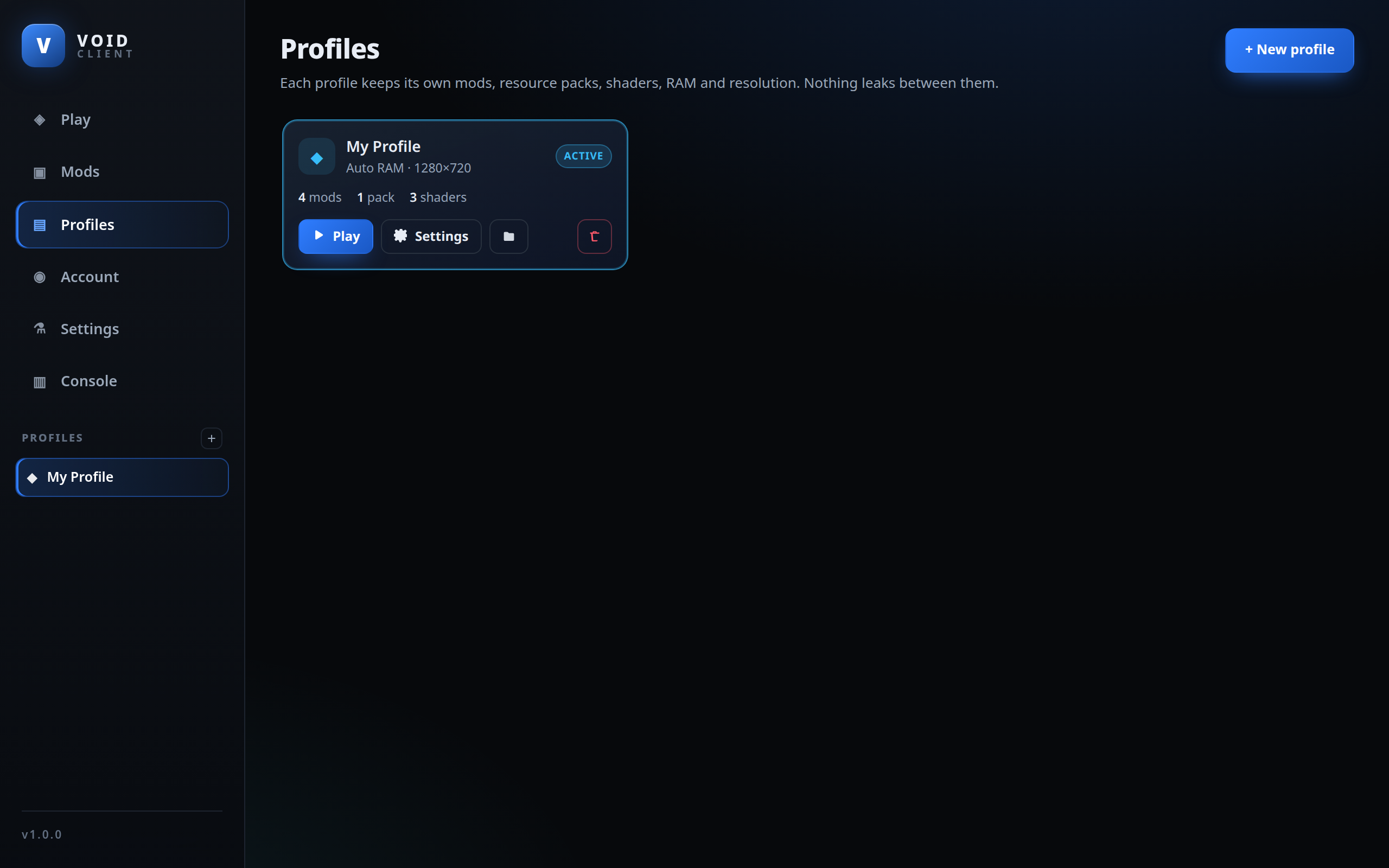
Search and install from Modrinth without leaving the app. Every profile keeps its own mods — nothing leaks between them.
VOID FPS already in
The performance boost is bundled. No hunting for benchmark mods, no compatibility guesswork.
Sets itself up
RAM picked from your hardware, resolution on Auto or Custom, Java 21 downloaded and checksum-verified.
Signs in safely
Microsoft login happens through a code in your browser. Your password is never typed into the launcher.
Shows off for you
Your playtime, version and world appear on your Discord profile through Rich Presence.
Inside the app
Mods and profiles
Real screenshots of the launcher — not mockups.
Side by side
VOID Client vs the vanilla launcher
The vanilla launcher works. This just saves you the setup work.
| VOID Client | Vanilla launcher | |
|---|---|---|
| Separate profiles | ✓ | ✗ |
| Mods installed per profile | ✓ | ✗ |
| Browse mods without leaving the app | ✓ | ✗ |
| Performance mods bundled in | ✓ | ✗ |
| Fabric Loader ready to go | ✓ | Manual |
| Java downloaded and verified | ✓ | Manual |
| RAM tuned to your hardware | ✓ | Manual |
| Discord Rich Presence | ✓ | ✗ |
Getting started
Install it in about a minute
No Java to install first, no Fabric to set up, no mod files to drag around.
What you need
| Operating system | Windows 10 / 11, 64-bit |
| RAM | 4 GB minimum, 8 GB recommended |
| Graphics | OpenGL 3.2 support |
| Java | Nothing to install — handled |
| A Minecraft account | Required to play |
The steps
- Click Download for Windows above.
- Run
VOID-Client-1.1.0-Setup.exe. - If Windows shows a warning → More info → Run anyway.
- Click Next through the installer.
- Open VOID Client, pick a version, press PLAY.
Questions
The things everyone asks
Answered here so you don't have to go looking.
Windows says "Windows protected your PC" — is it a virus?
No. Windows shows that warning for any installer without a paid digital certificate. Certificates cost a few hundred dollars a year, and this project doesn't have one yet. Click More info, then Run anyway. You can also verify the file yourself with the checksum further down this page.
Do I need a Minecraft account?
Yes. VOID Client is a launcher, not a copy of the game. You need to own Minecraft on a Microsoft account to play, exactly like the official launcher.
Will it run on my PC?
If you're on 64-bit Windows 10 or 11 with at least 4 GB of RAM and a graphics card that supports OpenGL 3.2, yes. Anything older than that won't work — those are real limits, not marketing.
Is it safe? What does it do with my account?
The full source code is public on GitHub, so anyone can read it. Login uses Microsoft's own device-code flow: you type a code on Microsoft's website, and your password never touches the launcher. The launcher only downloads official game files and mods from public sources.
How do updates work?
Settings has a Check for updates button. When a new version exists it shows you the old version, the new version, and what changed — then installs it. Updates download from this website, with GitHub as an automatic backup if this server is ever down.
Is VOID Client affiliated with Mojang or Microsoft?
No. It's an independent project. It requires a legitimate Minecraft account and only downloads official game files.
Verify it yourself
Don't trust it — check it
Every download can be checked against this hash. If it doesn't match, don't run the file.
SHA-256 of the installer
⚠ How to check it
Open PowerShell in the folder where you downloaded the file and run:
Get-FileHash .\VOID-Client-1.1.0-Setup.exe -Algorithm SHA256
The result must match the code on the left, character for character.
Suggestions
Got an idea? Tell us.
Ask for a feature, report a bug, or vote on what to build next. Everything posted here lands straight in our Discord.
What happens next
- It lands in our Discord within seconds.
- We read every one — no auto-filing.
- Popular ideas get built and shipped in an update.
Please don't submit passwords, account details, or anything private.
Or join the DiscordReady when you are
Download it, sign in, press play. That's the whole setup.